GuidesAuthentication
Create Account
Create a MonitoringDog account with an email and password
Self-serve sign-up is not open yet while MonitoringDog is pre-launch. Join the waitlist and we will email you when you can create your workspace.
Create an email/password account to start using MonitoringDog. After the account is accepted, MonitoringDog opens an application session and takes you to the product.
Before you begin
- A work email you can access.
- A password you want to use for MonitoringDog.
Open the sign-up page
Go to Create Account in the MonitoringDog portal.
You can also open it from Sign In in the MonitoringDog portal by clicking Create an account.
Enter account details
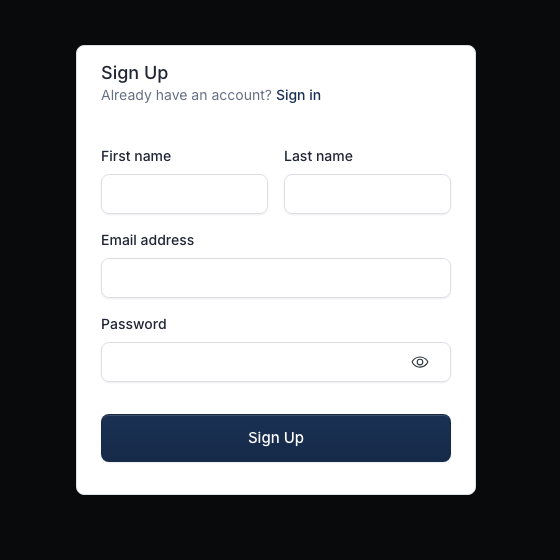
Enter the account information:
| Field | Required | Notes |
|---|---|---|
| First name | No | Helps identify you in the workspace |
| Last name | No | Helps identify you in the workspace |
| Email address | Yes | Use the email you want to sign in with |
| Password | Yes | This becomes your email/password sign-in method |
Create the account
Click Sign Up.
MonitoringDog creates the identity account, opens an application session, and takes you to the product.
Confirm product access
After MonitoringDog accepts the account, it redirects you away from the sign-up page and opens the product.
If the email already has an account, return to Sign In in the MonitoringDog portal and use the existing account method.