GuidesAuthentication
Sign In
Sign in to MonitoringDog with Google or an email and password
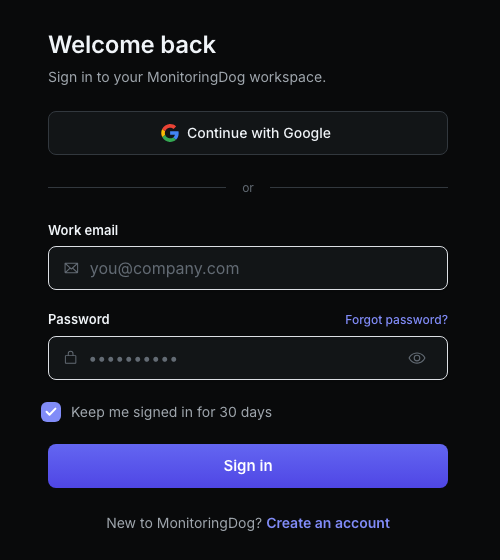
Sign in to open the MonitoringDog workspace connected to your account. The sign-in page supports Google sign-in and email/password sign-in from the same screen.
Before you begin
- A MonitoringDog account.
- Access to the Google account or work email connected to your account.
Open the sign-in page
Go to Sign In in the MonitoringDog portal.
The sign-in page shows two methods:
| Method | Use when |
|---|---|
| Continue with Google | Your account uses Google sign-in |
| Work email and Password | Your account uses an email and password |
Sign in with Google
Click Continue with Google, then complete the Google prompt. When Google returns you to MonitoringDog, the app opens the workspace connected to that account.
Sign in with email and password
- Enter your email in Work email.
- Enter your password in Password.
- Review Keep me signed in for 30 days if you are using a shared device.
- Click Sign in.
Confirm workspace access
After sign-in succeeds, MonitoringDog routes you to your workspace.
If MonitoringDog returns you to the Sign In page, your session is missing or expired. Sign in again to continue.
Troubleshooting
| Issue | What to do |
|---|---|
| You forgot your password | Use Reset Password |
| The Google prompt does not finish | Close the prompt and try Continue with Google again |
| The form shows an error | Check the email, password, and account method you used |